
iPhone and iPad
Widgets, Dynamic Island, Face ID and Siri. On iPad, more room for your lists and boards.

For companies running Odoo
Odoo becomes a real app.
iPhone, iPad and Android.
Odoo on a phone usually means a website you pinch and zoom.
Kamdoo reads your Odoo screens and draws them natively: lists, forms, kanban, calendar.
Your access rights, your modules, your data. Straight from your company.
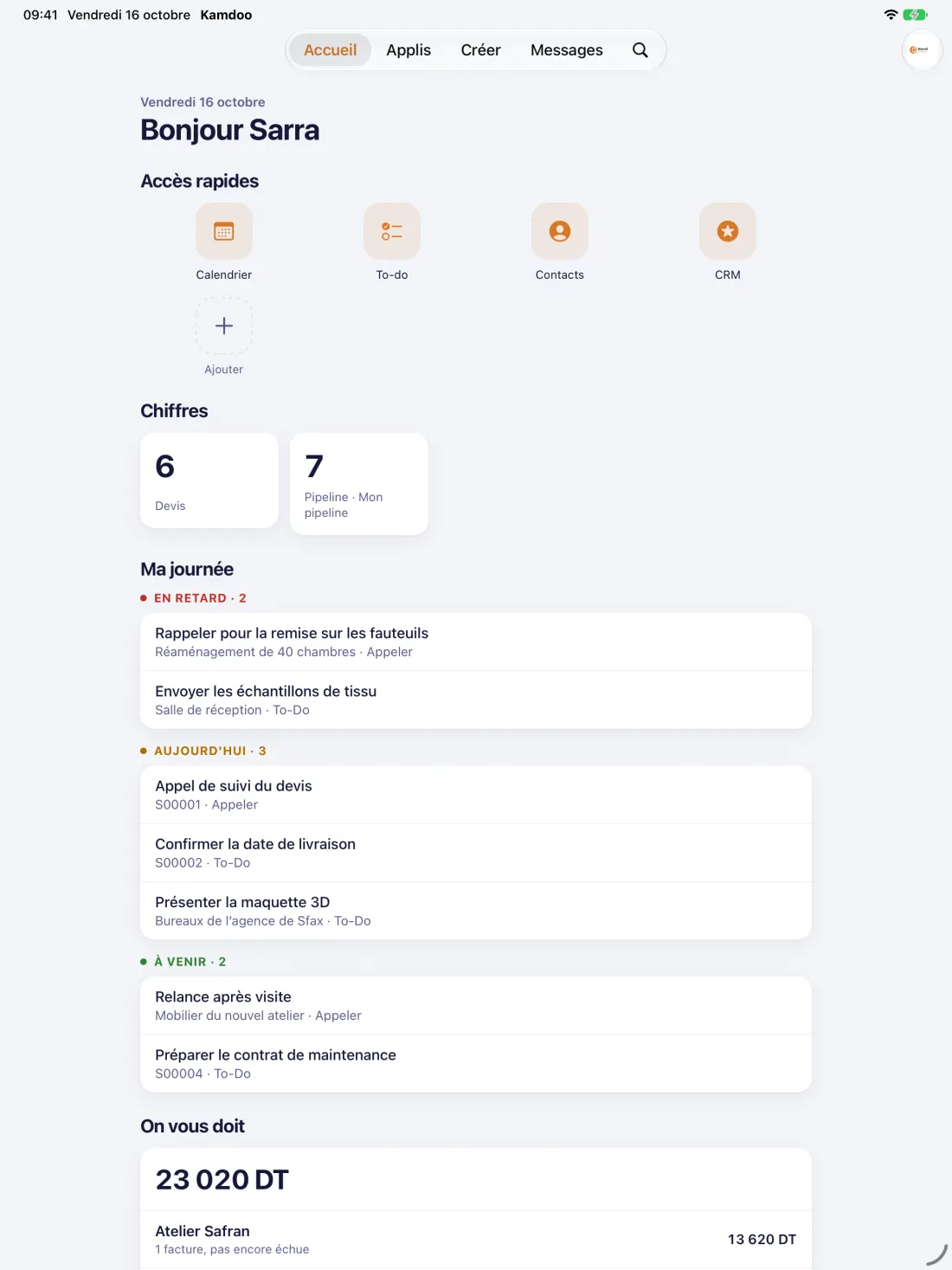
Overdue activities, today's activities and the numbers you track, as soon as you open it.
Home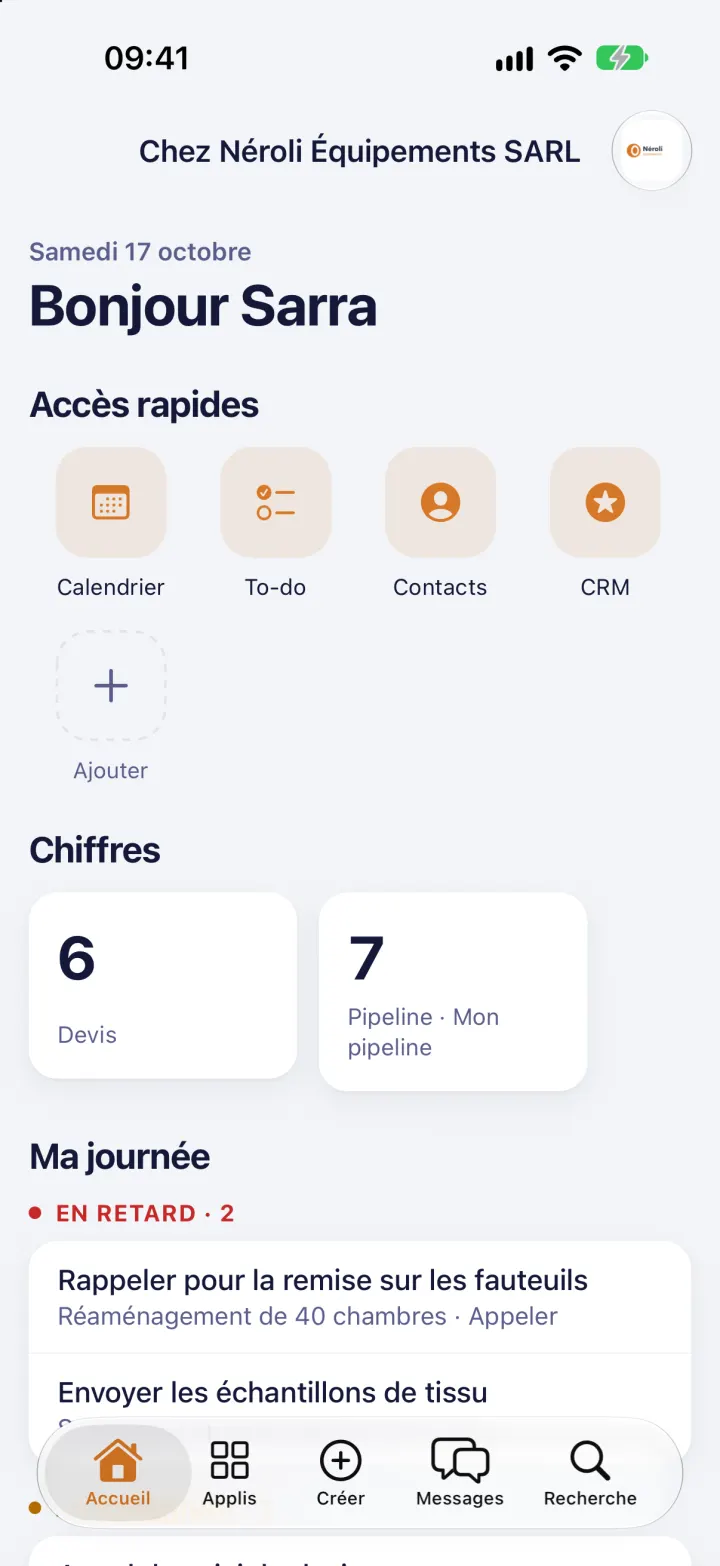
The "My day" widget on the home screen of iPhone, iPad and Android.
Widgets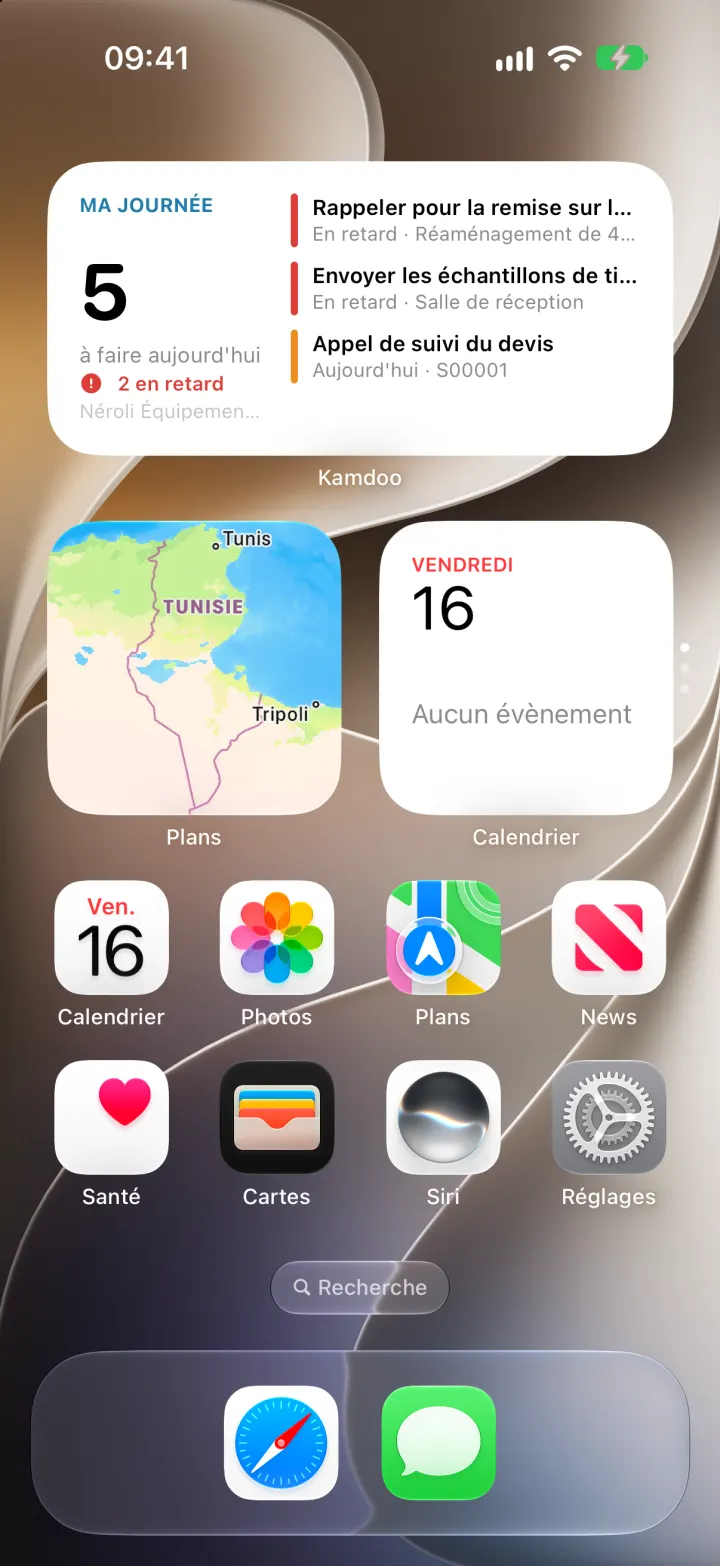
The CRM pipeline in columns, an opportunity dragged from one stage to the next with a finger.
CRM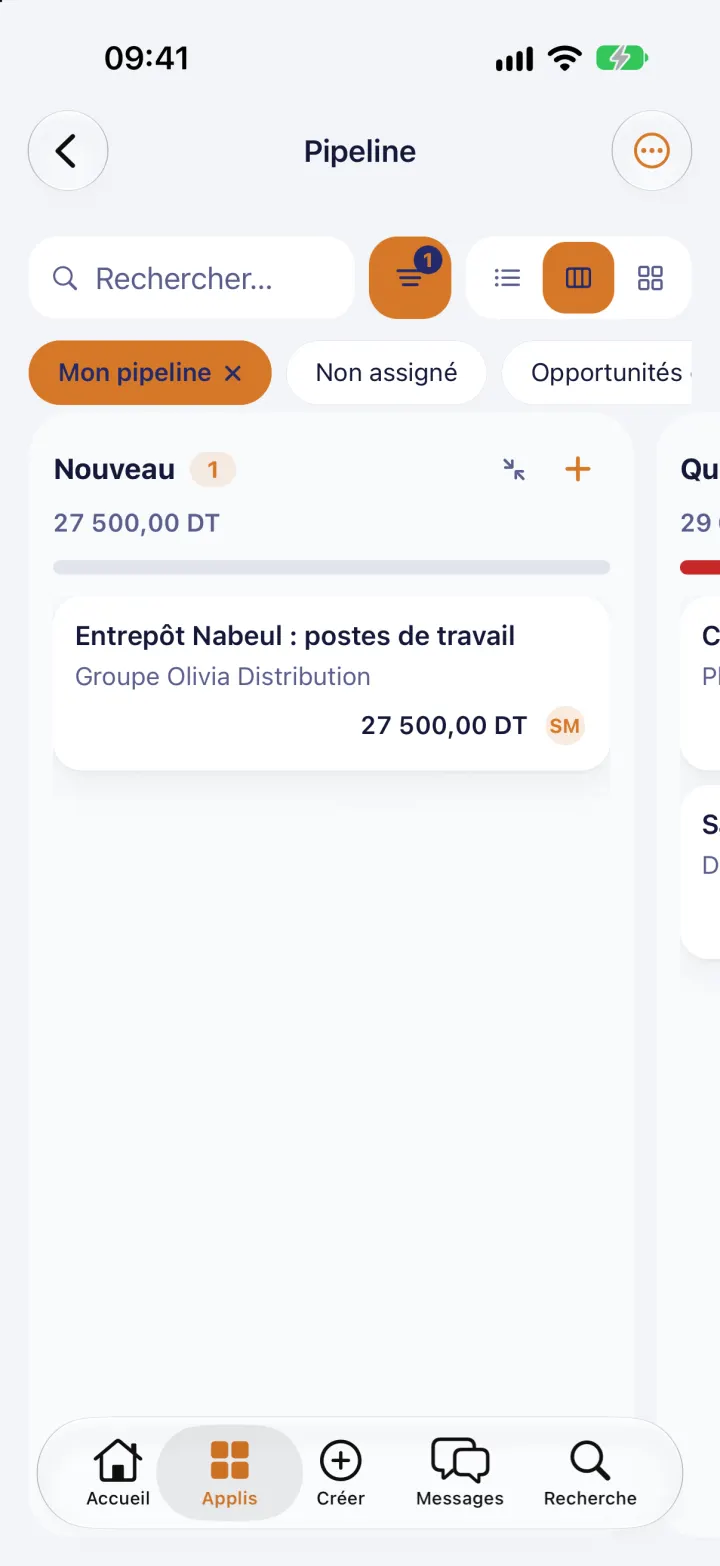
Buttons, tabs, order lines and chatter: the Odoo form, redrawn for the phone.
Sales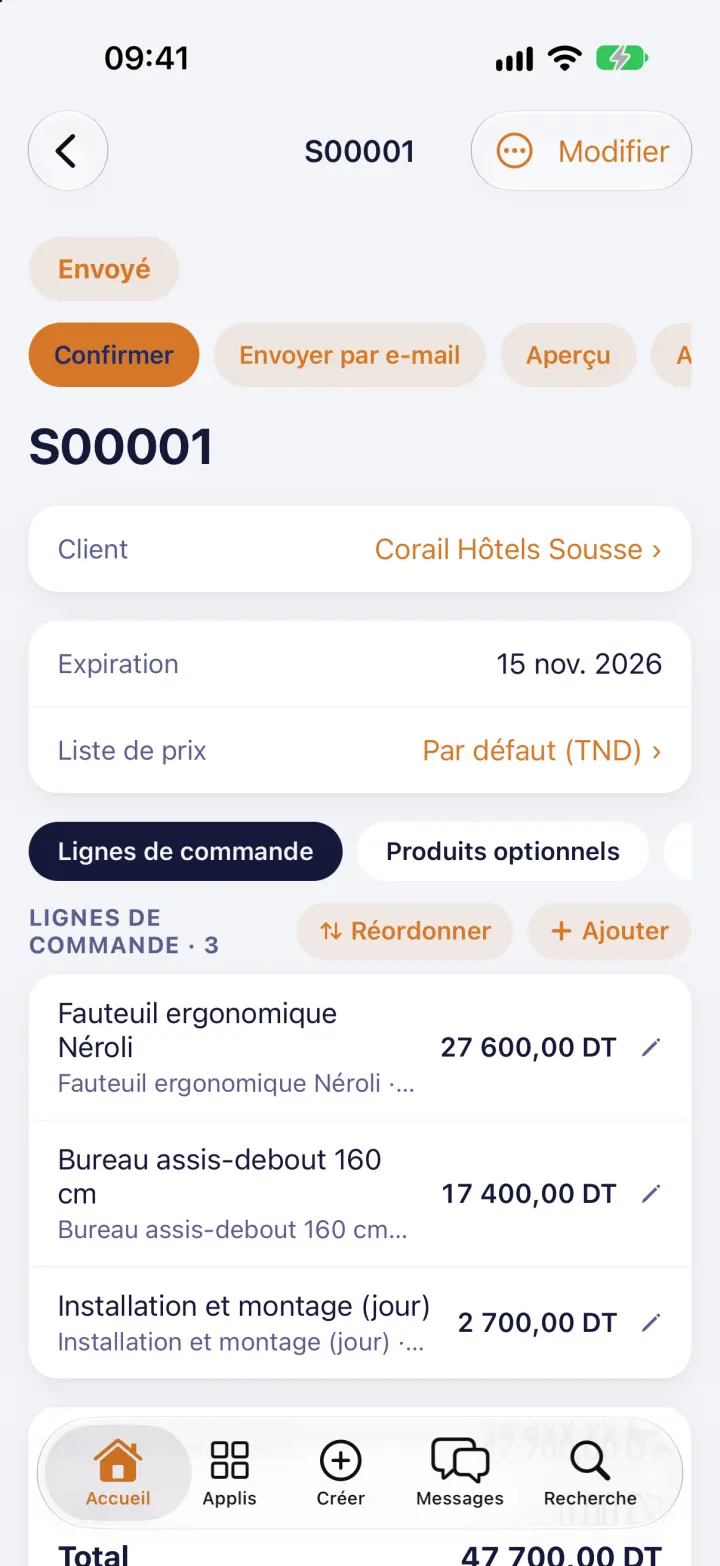
The filters, groupings and totals of your lists, just like in Odoo.
Invoicing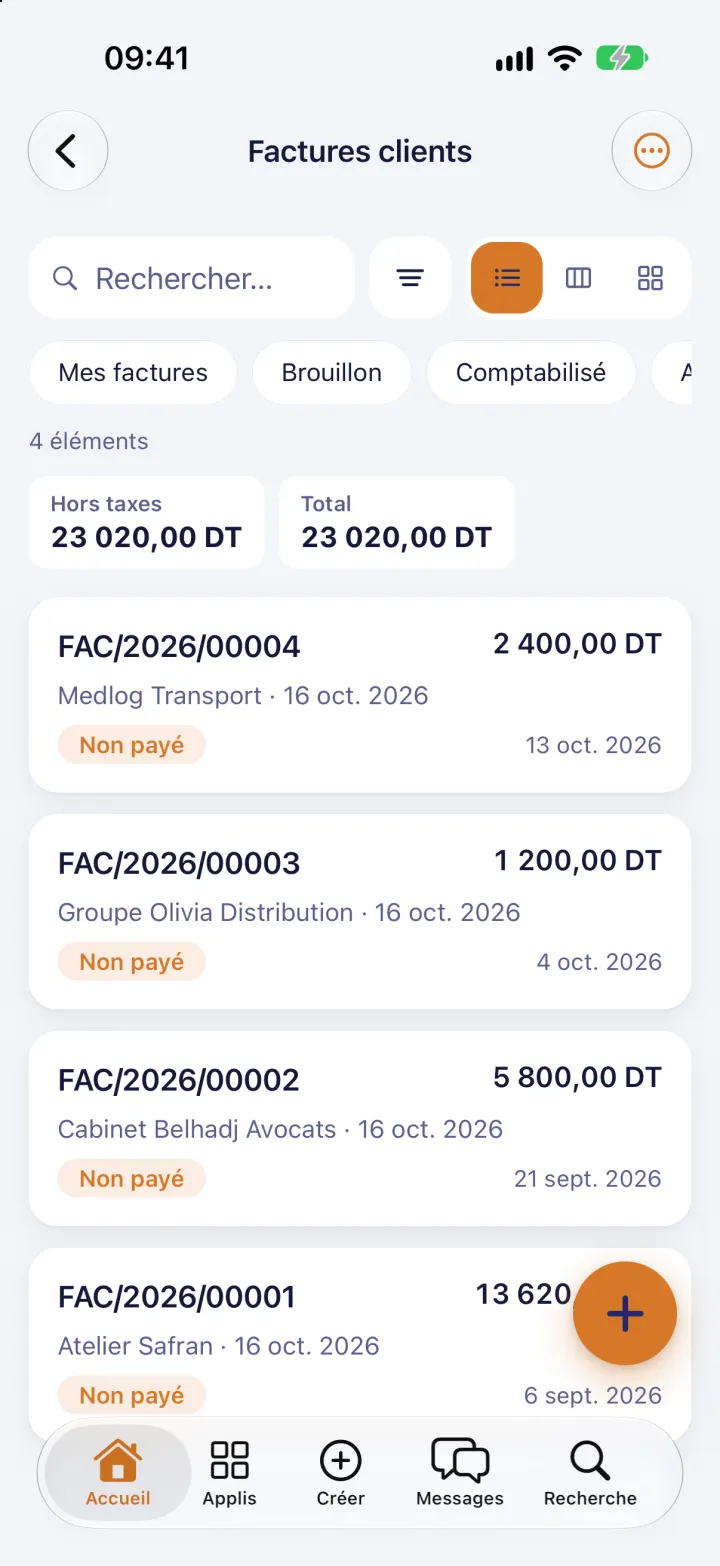
Your to-dos in columns, and the running task timer in the Dynamic Island.
Project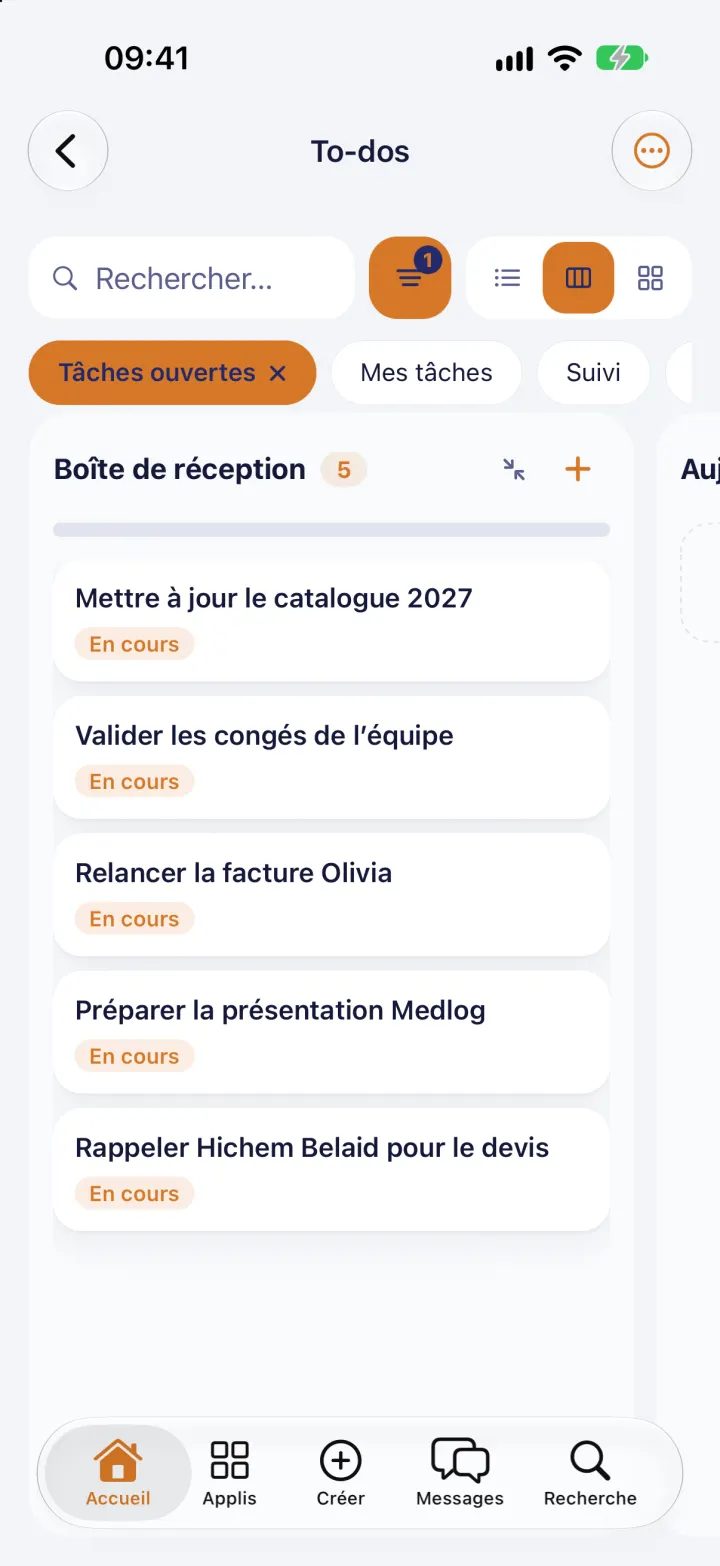
Month, week or day: your company's meetings, up to date in your pocket.
Calendar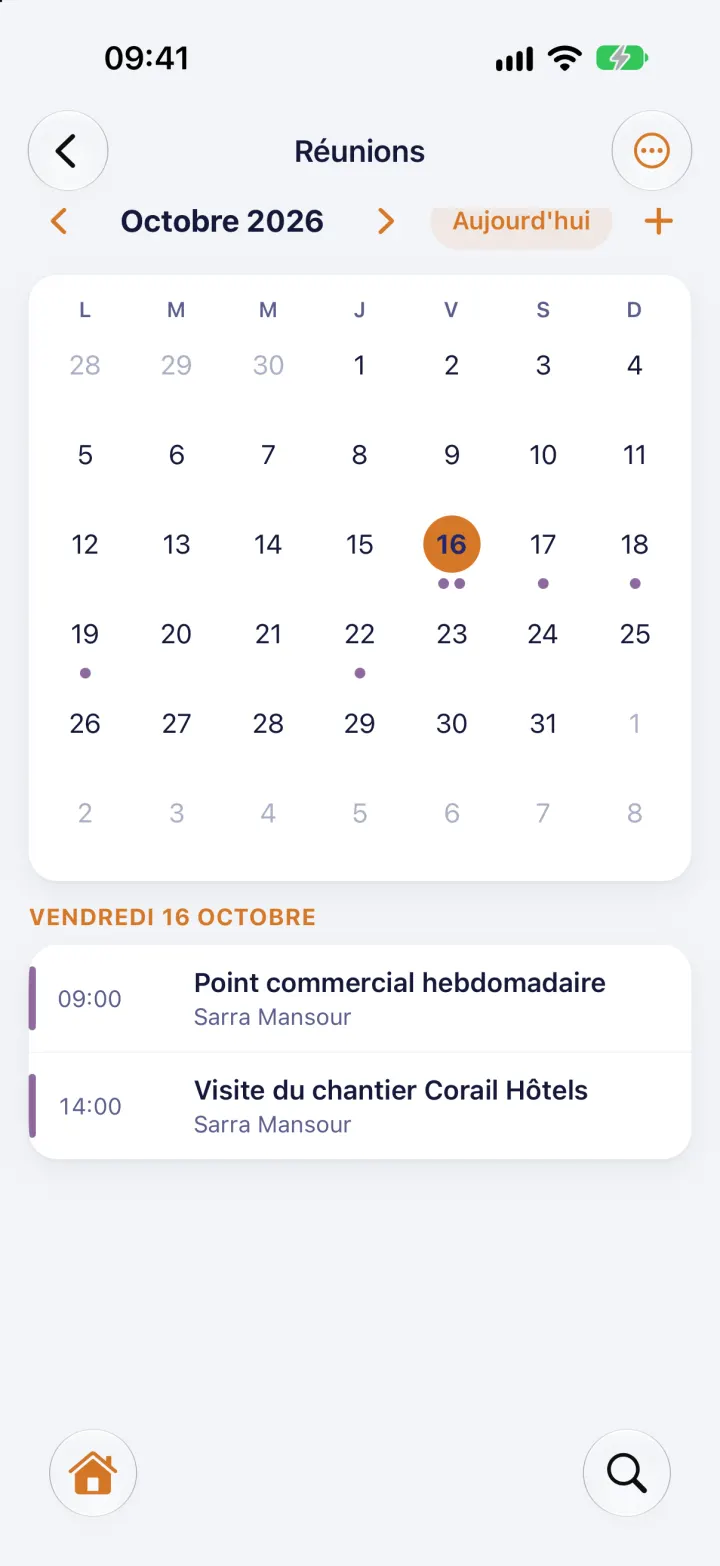
One app, designed for every screen: your thumb on the phone, the big picture on the tablet.
Widgets, Dynamic Island, Face ID and Siri. On iPad, more room for your lists and boards.
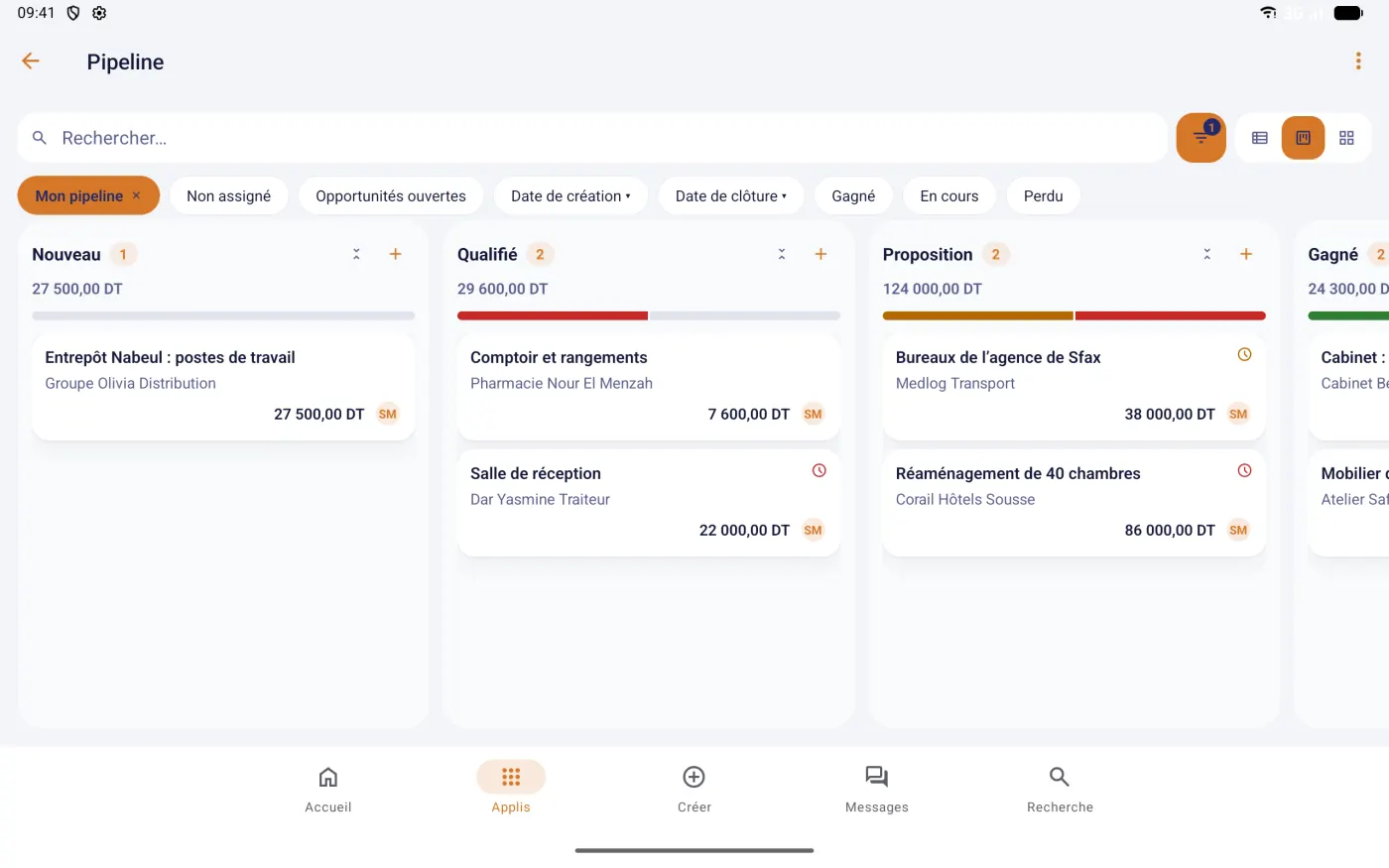
The "My day" widget, a running-timer notification, fingerprint unlock. In landscape, the pipeline spreads across all its columns.
From 14 to 20, with your company's own modules. Several companies? One app.
"Add a task: call Corail Hôtels back tomorrow."
Add "call Corail Hôtels back tomorrow" to today's tasks?
Siri reads your day, finds a record, starts a timer. As soon as something would be written to the ERP, Kamdoo asks for your approval. Nothing is saved without your "yes".
Kamdoo is available on Google Play for Android. For iPhone and iPad, leave your address: we'll write to you the day it's out on the App Store, and only for that.
Your company is not on Odoo yet? Kamka IT sets it up and tailors it.
A question, a sign-in problem, an idea? Write to us: contact@kamka-it.com
Open Kamdoo, enter your company's ERP address (the one you use in the browser), then sign in with your usual credentials. If your company installed the Kamdoo module, scan the "Connect my phone" QR code.
It is free and optional, and it is installed on your company's ERP, not on the phone. Get it wherever you prefer: from the Odoo Apps Store (pick your Odoo version on the page), or from GitHub, one branch per version, 14.0 to 20.0. It adds the "Connect my phone" QR code, your company's name and logo in the app and, on Odoo 14 to 16, notifications.
No. You sign in with the account you already have in your company's ERP. Kamdoo creates no account.
Your login belongs to a customer (portal) account, not to an ERP user. Check the login with your ERP administrator.
Settings › Remove this company from the phone. Kamdoo closes the session and erases what it kept about it.
It stays in your company's ERP and on your phone. The details are in the privacy policy.